Why almost every equipment management starts in Excel
A spreadsheet is set up quickly: instrument number, description, location, last calibration, next due date. For a few dozen instruments and one responsible person this works well, and it costs nothing extra.
With every additional instrument, site and colleague, however, the effort grows. At some point, equipment monitoring depends on the right person looking at the right file at the right time.
Where the Excel list reaches its limits
- No reminders: due dates only stand out when someone filters.
- Several versions of the same file on the network drive, the desktop and in e-mail attachments.
- No history: who changed what and when, and why?
- Calibration certificates and pictures sit in separate folders.
- Permissions are hard to manage, anyone can overwrite anything.
- Reports for the audit take hours instead of minutes.
At the latest when an overdue instrument is found in an audit or a measurement has to be repeated, the list costs more than it saves.
What equipment management software should do
Whether standalone software, a LIMS module or part of calibration software: these points should be covered.
- Instrument record with master data, location, status and documents
- Calibration intervals per type and due-date lists
- Automatic e-mail reminders to the responsible people
- Calibration jobs for internal and external calibration
- Complete history with user, date and reason
- Labelling, ideally with a QR code for scanning
- Reports and export, for example to Excel
- Users, roles and permissions
How to switch from Excel
- Clean up the inventory: remove duplicates, mark retired instruments.
- Define mandatory fields: number, type, serial number, location, cost centre, interval.
- Create types: instruments of the same model share interval, service provider and documents.
- Take over the data and check samples.
- Print and attach labels, assign responsible people.
- Set up reminders and retire the Excel list.
The last step matters most: as long as the old list is maintained in parallel, there are two versions of the truth.
From Excel to LABIONIX
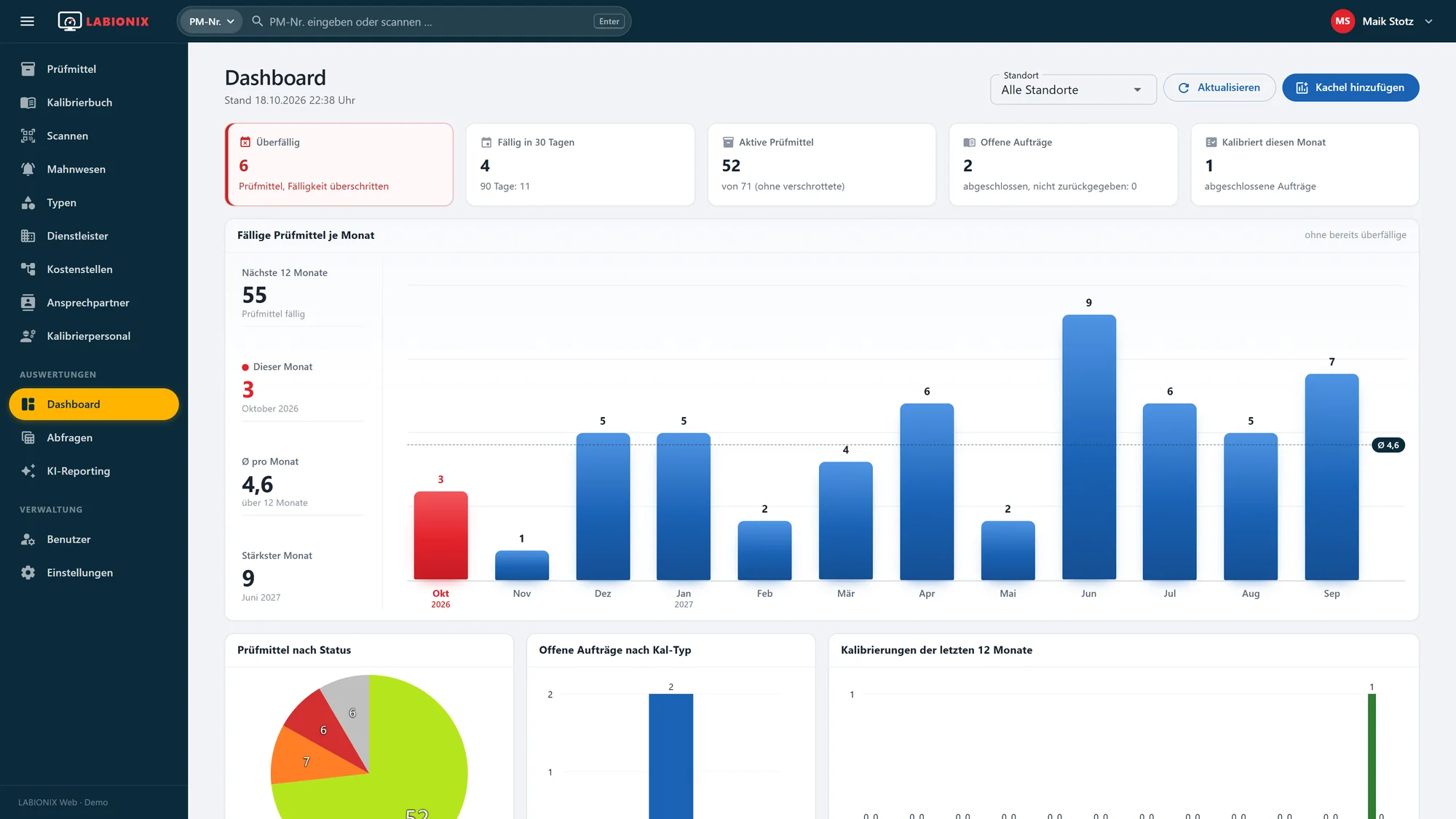
LABIONIX takes over your instrument lists from Excel or other systems by arrangement. You then have instrument records with documents and history, due dates on the dashboard, e-mail reminders and QR scanning for receipt, hand-out and shipping, even with the phone camera.
The way back to Excel stays open: every list and every saved query can be exported as an Excel file. If you run MET/TEAM®, read more about moving from MET/TEAM® to LABIONIX.
